

CIS for builders is something many subcontractors deal with every day, but it’s not always clear how the tax side works in practice. The deductions taken from your payments are only advance payments, not your final tax bill. That means many subcontractors end up overpaying during the year and later claiming a refund.
Across Tadworth, Dorking, Walton on the Hill, and the wider Surrey area, construction work is steady, but the tax side is often less straightforward, especially if you’re juggling several jobs and contractors at once.
This guide explains how CIS works, the common mistakes builders make, and how to stay organised as tax rules continue to move toward Making Tax Digital.
Who This Guide Is For
This guide is for you if you:
- Work as a subcontractor under CIS
- Are paid by contractors rather than directly by clients
- Manage multiple jobs or income sources
- Want to make sure you are paying the right amount of tax
If that sounds familiar, getting the basics right can make a real difference to your take-home income.
What is CIS and Who Needs to Register?
The Construction Industry Scheme is HMRC’s system for collecting tax from subcontractors before they are paid in full. In simple terms, contractors deduct tax from your payments and send it to HMRC on your behalf.
Here’s how it usually works:
- Contractors deduct 20% from your pay if you are registered
- If you are not registered, the deduction rate increases to 30%
- The money deducted is paid directly to HMRC
CIS applies to most construction-related trades, including builders, electricians, plumbers, carpenters, and other subcontractors.
It is important to remember that CIS deductions are not your final tax bill. Your actual tax position is worked out later through your self-assessment, after your allowable expenses are taken into account.
Common CIS Mistakes for Builders
Most CIS problems are not complicated. They usually come down to missed steps, poor record keeping, or not reviewing things often enough.
Not registering correctly
If you are not properly registered for CIS, you may be taxed at 30% instead of 20%. Over a full year, that can have a significant impact on cash flow.
Missing expenses
Many builders only claim the obvious costs and forget the smaller ones that still add up.
Common expenses can include:
- Small tools and replacements
- Fuel and mileage
- Work clothing
- Materials bought personally
Missing these expenses means paying more tax than necessary.
Poor record keeping
Leaving everything until the end of the year often leads to missing information, guesswork, and avoidable overpayments.
Keeping records throughout the year makes your tax return easier and helps ensure nothing gets overlooked. Using software like Xero can make this much simpler and keep everything up to date.
How CIS Refunds Work
Because CIS for builders involves tax being deducted before expenses are considered, many subcontractors pay too much during the year.
When your self-assessment is completed:
- Your income is totalled
- Your expenses are deducted
- Your actual tax liability is calculated
If too much has been paid through CIS deductions, you will usually be due a refund.
We regularly see builders who have had 20% deducted all year but still receive a refund once expenses are included.
If you are unsure whether you have overpaid, it is worth checking sooner rather than later.
👉 Not sure if you’ve overpaid? Get in touch for a quick review.
In practice, this means your contractor deducts 20% from your payments throughout the year, but your actual tax bill is only calculated after your expenses are taken into account.
For example, once costs such as tools, fuel, and materials are deducted, your final tax bill is often lower than the amount already paid through CIS. That difference is what creates a refund.
Making Tax Digital: What Builders Need to Know
Making Tax Digital is HMRC’s move toward more frequent digital reporting.
Instead of relying on one annual return, you will need to:
- Keep digital records
- Make regular submissions during the year
- Use compatible software such as Xero
For builders working across these local areas, the main impact is how records are managed day to day.
If you already track things properly, the change should be manageable. If your records are disorganised, it will make compliance much harder.
What Records Should Builders Keep?
To stay compliant and avoid overpaying tax, keeping the right records is essential.
You should keep:
- Invoices from contractors
- CIS deduction statements
- Receipts for tools, materials, and expenses
- Mileage logs or fuel records
Having these organised throughout the year makes your self-assessment much easier and ensures nothing is missed.
Why Local Knowledge Helps
Tax rules are the same across the UK, but the way construction work is carried out locally can affect how easy it is to stay organised.
In Tadworth and nearby Surrey areas, much of the work is residential, often split across multiple jobs and paid through different contractors. That creates more admin and more chances for things to be missed.
We work with builders across Dorking and Walton on the Hill as well, so we regularly see how these jobs are structured and the practical challenges involved.
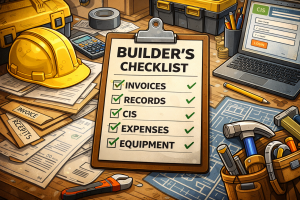
Builder’s CIS and Tax Checklist
If you want to stay on track, check that you have covered the following:
- You are registered for CIS and not paying 30%
- All income from each contractor is recorded
- Expenses are tracked consistently
- Receipts are saved, either as photos or digital copies
- CIS deductions are logged correctly
- You use a system or software such as Xero
- You know whether a refund is due
- You are prepared for Making Tax Digital
If a few of these are missing, there is usually money being left on the table.
How We Help
We help builders stay organised, compliant, and tax efficient without adding unnecessary hassle.
That usually includes:
- Setting up CIS correctly
- Organising records in a way that is easy to maintain
- Using tools like Xero where appropriate
- Making sure allowable expenses are captured
- Preparing self-assessment returns
- Identifying any CIS refunds due
We work closely with builders on a day-to-day basis, so we understand how construction businesses actually operate and where things typically go wrong.
You can also read our guide on saving tax as a builder here. 👉 Link to your 22 ways to save tax blog
Need Help With CIS or Your Tax Return?
If you are not sure everything is set up correctly, it is usually worth reviewing things sooner rather than later.
Getting CIS for builders right can make a real difference to your take-home income.
👉 If you want a quick answer, we can review your situation, and tell you if anything is missing or if a refund may be due.
Get in Touch
If you need help with CIS, tax returns, or getting ready for Making Tax Digital, please get in touch.
We work with builders across Tadworth, Dorking, Walton on the Hill, and surrounding Surrey areas.
We can help you:
- Check whether your CIS is set up correctly
- Review your expenses and records
- Identify whether a refund is due
- Get ready for Making Tax Digital with a simple system
FAQs – CIS for Builders
Do I need to register for CIS?
Yes. If you are paid as a subcontractor, you should register. Otherwise, tax may be deducted at 30%.
Can I get a CIS refund?
Yes. If too much tax has been deducted, you may be due a refund after your self-assessment.
What expenses can I claim under CIS?
Tools, fuel, mileage, clothing, and other business-related costs.
What is Making Tax Digital?
A system requiring digital records and regular reporting using software like Xero.
Do I need accounting software?
Not always, but it simplifies record keeping and prepares you for Making Tax Digital.
How do I know if I’m overpaying tax?
If expenses are not fully recorded, you may be overpaying.
What happens if my records are poor?
You may miss expenses, overpay tax, and face issues with HMRC.
Do I need an accountant for CIS?
Not required, but it helps avoid mistakes and saves time.
How quickly can I get a CIS refund?
Usually within a few weeks after submitting your self-assessment.